
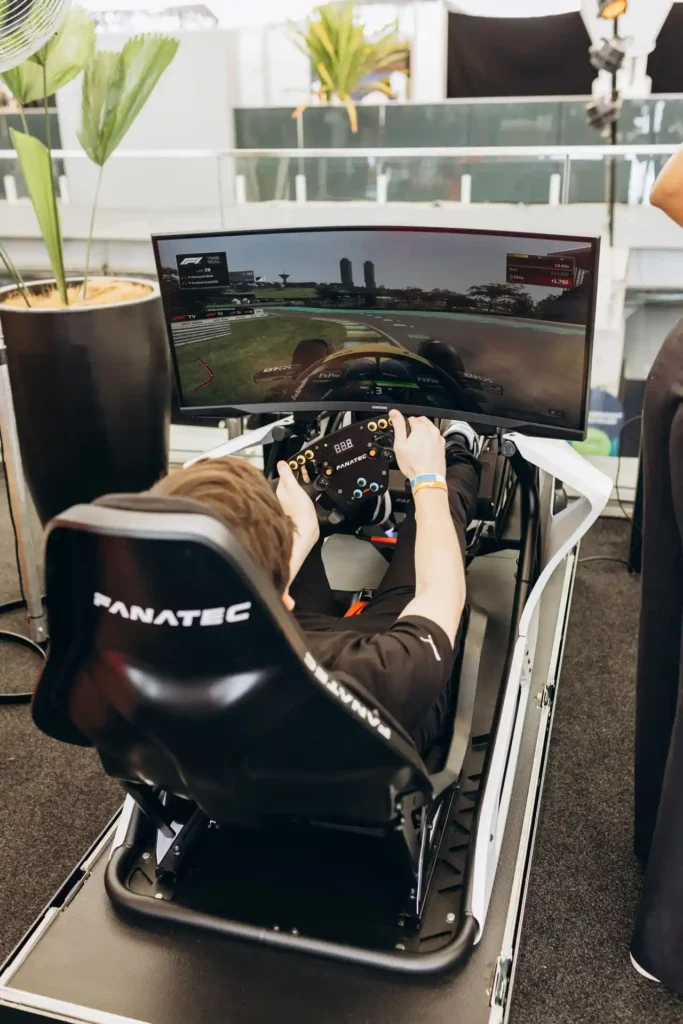

A good home gaming setup isn’t necessarily about buying the most expensive equipment. For custom arcade cabinets and racing simulators, the better approach is to build around the experience first and choose hardware that supports it.
Arcade cabinets and sim rigs have different requirements, but both depend heavily on three things: a rigid structure, sensible component placement and enough room for future upgrades. Getting those decisions right early can prevent a surprisingly expensive rebuild later.
Start With the Arcade Cabinet
For a traditional arcade cabinet, MDF is still one of the easiest materials to work with. It cuts cleanly, is relatively inexpensive and takes paint well. Plywood is another good option and tends to make sense when reducing weight or adding extra strength is important. A 3/4-inch sheet is commonly used for full-size cabinet construction, although the right thickness depends on the design and where the load is being carried.
The monitor should be part of the planning from the beginning. Older arcade games often look better on a 4:3 display, while a widescreen panel is more practical for modern games. Mounting the screen too high or too low can also make an otherwise good cabinet uncomfortable to use.
Then there is ventilation. A PC, monitor and amplifier sitting inside a closed wooden cabinet will produce heat. A couple of vents may be enough for a modest system, but more powerful hardware benefits from active airflow. Fans should generally be positioned so that warm air has a clear path out rather than simply moving hot air around inside the cabinet. And leave some way of getting back into the thing. A removable rear panel or hinged access door is one of those details that seems unnecessary until a USB connection stops working six months later.
The Control Panel Makes the Difference
The controls are probably the part that gets the most attention during a build, and for good reason. A joystick that feels great for a fighting game may not be the best choice for every other arcade title. Sanwa-style controls are popular for their relatively light and responsive action, while other setups use firmer switches for a more traditional feel.
Button spacing matters alot. Before drilling anything, laying the buttons and joystick out on cardboard can reveal awkward positions very quickly. The same applies to extra controls. A trackball can make certain classic games much more enjoyable, while a spinner is useful for titles that were originally designed around one. USB encoder boards keep the electronics fairly straightforward. Buttons and switches connect to the encoder, which then presents the inputs to the computer as a USB device.
Don’t Overbuild the Computer
The computer inside an arcade cabinet doesn’t necessarily need to be powerful. For older arcade titles and relatively light emulation, a small single-board computer can do the job while keeping heat, power consumption and noise down. The Raspberry Pi 5, for instance, has a quad-core 64-bit processor, USB 3.0 and support for two 4K displays.
A dedicated PC becomes more useful when the target games are newer or the emulation workload is heavier. There’s also a practical point here: more powerful hardware usually means more heat. A cabinet designed around a small computer may need additional cooling if a full desktop PC is added later.
Sim Rigs Have Much Higher Loads
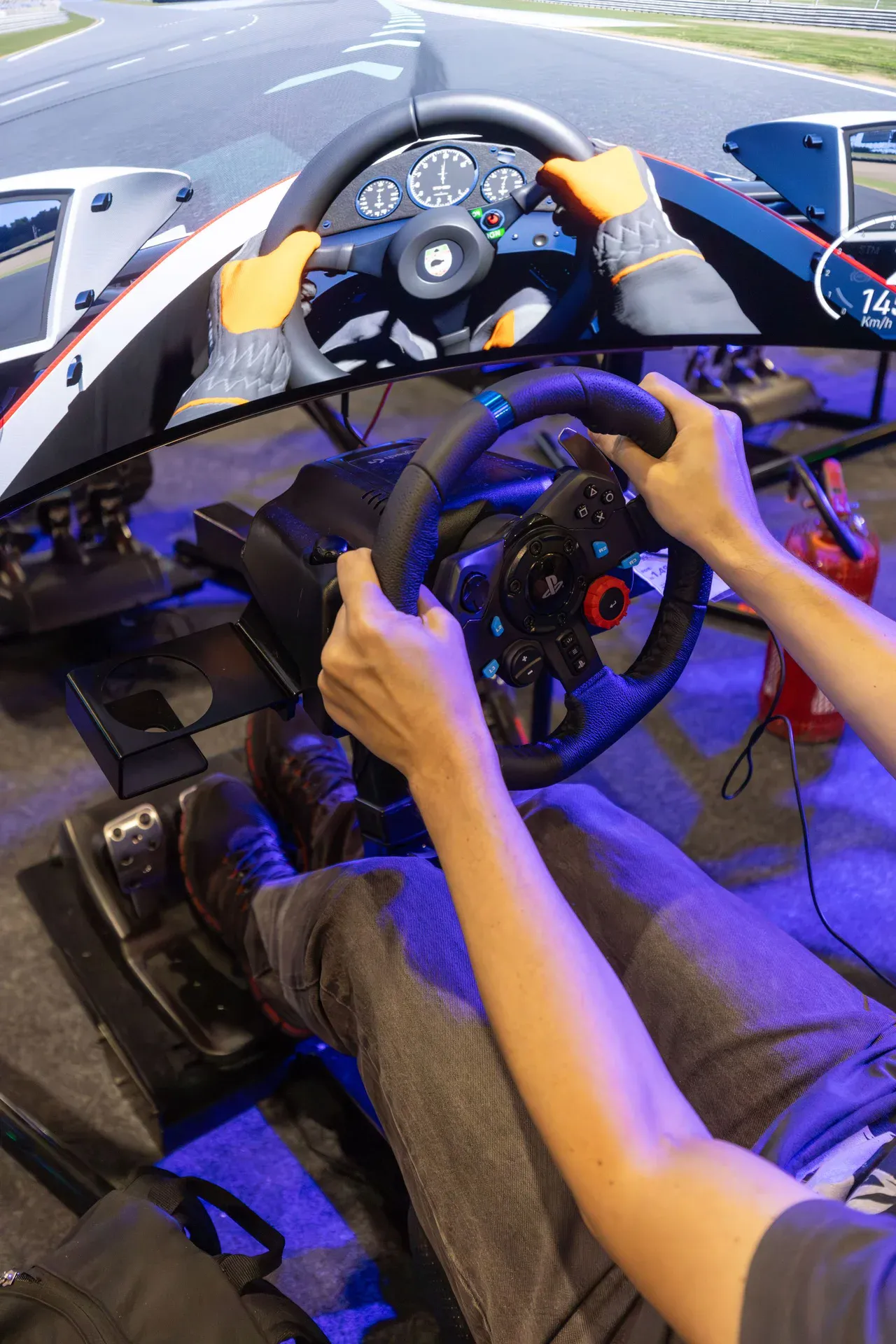
A racing simulator looks simple until a strong force-feedback wheel is attached to it. Then the frame starts taking real mechanical loads. Direct-drive wheelbases can generate substantial torque through the steering mount, while load-cell brake pedals require considerably more force than basic potentiometer pedals. If the frame flexes, some of that movement gets felt as unwanted play rather than useful feedback. This is one reason T-slot aluminium extrusion has become so common in home sim rigs. Sections can be bolted together, moved and rearranged without cutting and welding a completely new frame every time something changes.
For custom builds, some suppliers allow buyers to buy aluminium online in different profiles and lengths. That makes it easier to plan the frame around the wheelbase, pedal set and seating position rather than forcing the hardware to fit a pre-existing design.
The actual profile still matters, though. A lightweight extrusion may be perfectly adequate for one application and completely unsuitable for another. Section dimensions, wall thickness, alloy and how the joints are constructed all affect rigidity.
Get the Driving Position Right
Once the frame is rigid, the next issue is where everything sits. The wheel should be high enough to avoid awkward shoulder positioning, but not so high that the arms are constantly stretched. The pedals need to allow firm braking without forcing the ankle into an uncomfortable position.
Load-cell pedals are particularly useful for serious sim racing because they respond to pressure rather than simply measuring how far the pedal moves. That can make braking much more repeatable, but it also means the pedal mount needs to be properly supported.
The seat is another area where practicality beats appearance. A fixed bucket seat works well for a dedicated setup. A reclining automotive seat is usually easier when the rig is shared between different users.
Think About the Screen Early
A triple-monitor setup can provide an excellent field of view, but it takes up a lot of space. Three 27- or 32-inch displays can quickly turn a compact gaming corner into a fairly large installation. A 49-inch ultra wide is easier to arrange and removes the bezels between three separate panels. VR is another option, particularly for anyone prioritising immersion over having a permanent screen in front of the rig. There isn’t really one correct answer here. Room size, GPU performance, budget and personal preference all come into it.
Leave a Little Room for Change
This is probably the most useful rule for either type of build. Hardware changes. An arcade cabinet may eventually get extra buttons, another controller or a faster computer. A sim rig that starts with a basic wheel might eventually have a direct-drive base, load-cell pedals, a handbrake and additional displays attached to it. Building every part so tightly around today’s hardware makes those upgrades unnecessarily difficult. A few spare mounting points, accessible cable routes and some unused space can save a lot of dismantling later.
A custom gaming setup doesn’t need to be complicated to be good. The important parts are: a rigid frame, sensible ventilation, comfortable positioning and enough access to actually repair or upgrade the hardware. Get those right, and all the parts become much easier to add afterwards.